

Viewed Recently
Sorry! No items match your selection :(
Trending
Sorry! No items match your selection :(
Offers
Sorry! No items match your selection :(

Sorry! No items match your selection :(
Sorry! No items match your selection :(
Sorry! No items match your selection :(
Sorry! No items match your selection :(
Sorry! No items match your selection :(



| Subtitles | Japanese, English, French, Italian, German, Spanish, Dutch, Portuguese, Russian, Korean, Chinese (Simplified), Chinese (Traditional) |
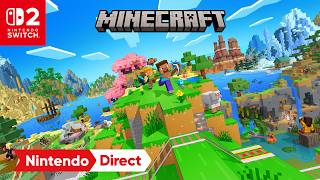
Experience Minecraft like never before on Nintendo Switch 2 with the native Switch 2 version featuring the stunning Vibrant Visuals graphics upgrade, enhanced lighting and shadow effects, improved performance, seamless world transfers from Nintendo Switch, and the exclusive Super Mario Mash-Up content enhanced by the new visual technology.
Minecraft is the world's best-selling sandbox adventure game developed by Mojang Studios. Explore vast procedurally generated worlds, gather resources, craft tools, build incredible structures, and survive against dangerous creatures in an endlessly creative block-based universe. Whether playing alone or with friends, Minecraft offers complete freedom to shape your own adventure through exploration, construction, combat, farming, redstone engineering, and limitless creativity.
The Nintendo Switch 2 Edition brings Minecraft natively to Nintendo's latest console with significant enhancements over the original Nintendo Switch version. The headline feature is Vibrant Visuals, Minecraft's largest graphical update to date, introducing improved lighting, shadows, reflections, atmospheric effects, volumetric fog, and enhanced environmental detail. Players can seamlessly transfer their existing worlds and continue their adventures while enjoying improved visuals and performance.
Native Nintendo Switch 2 Version
Built specifically for Nintendo Switch 2 hardware, delivering enhanced visuals and performance beyond backward compatibility support.
Vibrant Visuals Graphics Upgrade
Experience Minecraft's biggest visual update ever with enhanced directional lighting, improved shadows, water reflections, volumetric fog, atmospheric effects, and dramatically improved world presentation.
Seamless World Transfer Support
Continue your existing adventures by transferring worlds and progress from Nintendo Switch to Nintendo Switch 2.
Unlimited Creativity and Building
Construct anything imaginable, from simple homes to enormous cities, complex machines, and massive multiplayer projects.
Survival and Adventure Gameplay
Gather resources, craft equipment, battle hostile mobs, explore caves, and uncover rare treasures across endless procedurally generated worlds.
Cross-Platform Multiplayer
Play with friends across multiple supported platforms through Minecraft's Bedrock Edition ecosystem.
Q: What is Minecraft (Nintendo Switch 2 Edition)?
A: It is a native Nintendo Switch 2 version of Minecraft that includes enhanced graphics, improved performance, and support for the Vibrant Visuals update.
Q: What is Vibrant Visuals?
A: Vibrant Visuals is Minecraft's largest graphics update to date, adding improved lighting, shadows, reflections, volumetric fog, and environmental effects to make the world more immersive.
Q: Can I transfer my Nintendo Switch worlds to Switch 2?
A: Yes. Mojang has confirmed that players can seamlessly transfer their worlds and continue playing on Nintendo Switch 2.
Q: Is this different from playing the Switch version through backward compatibility?
A: Yes. The Nintendo Switch 2 Edition is a dedicated native version built specifically for Switch 2 hardware and includes enhanced visual effects not available through simple backward compatibility.
Q: What game modes are available?
A: Players can enjoy Survival Mode, Creative Mode, Adventure Mode, multiplayer gameplay, custom worlds, Marketplace content, and community-created experiences.
Guide: Enable Vibrant Visuals Immediately
A: Make sure the Vibrant Visuals graphics mode is enabled to experience the enhanced lighting, shadows, reflections, and environmental effects designed for Nintendo Switch 2.
Guide: Transfer Existing Worlds First
A: Move your favorite Nintendo Switch worlds to Switch 2 to continue building without losing progress.
Guide: Explore the Super Mario Mash-Up World
A: Visit Peach's Castle, Delfino Plaza, and other iconic Nintendo locations enhanced by the new visual upgrades.
Guide: Start in Survival Before Creative
A: New players can learn crafting, resource gathering, and combat mechanics more naturally through Survival Mode before diving into unrestricted building.
Guide: Use Realms for Shared Worlds
A: Realms allows friends and family to access a shared Minecraft world even when the host is offline, making long-term multiplayer projects easier to manage.

Join our gaming community and never miss exclusive deals
1-2 emails per week


